MapleDeploy vs Google Cloud
Cloud Run bills by use. MapleDeploy gives you one managed server at one price.
Google Cloud has two Canadian regions: northamerica-northeast1 in Montreal and northamerica-northeast2 in Toronto. For web apps, the closest match to MapleDeploy is Cloud Run, a serverless platform that builds your code into a container and runs it without servers to manage. MapleDeploy takes a different shape. You get a dedicated Toronto VM running Coolify, with your apps, workers and databases on one server, and we look after that server. This page covers how the two differ, how each bills, and how the jurisdiction compares.
Side by side
What you get
- Google Cloud
- A serverless container platform, billed by use
- MapleDeploy
- Dedicated VM with your own Coolify instance
Server administration
- Google Cloud
- None, Google runs the infrastructure
- MapleDeploy
- Handled for you
Deploys
- Google Cloud
- From a container image, or from a Git repository built with buildpacks or your Dockerfile
- MapleDeploy
- Git push deploys
Databases
- Google Cloud
- Cloud SQL, a separate service billed on its own
- MapleDeploy
- One-click, included
Custom domains
- Google Cloud
- Through a load balancer or Firebase Hosting in the Canadian regions
- MapleDeploy
- Included, with automatic SSL
Canadian locations
- Google Cloud
- Montreal, Toronto
- MapleDeploy
- Toronto
Headquarters
- Google Cloud
- United States
- MapleDeploy
- Canada
Pricing
- Google Cloud
- Per vCPU-second, GiB-second and request, with a monthly free tier
- MapleDeploy
- From $45 CAD/mo, databases included
When Google Cloud is the right choice
Cloud Run is a strong fit for spiky or occasional traffic. It scales out under load and can scale to zero when nobody is using your app, so a quiet service can cost very little. There are no servers for you to patch.
Google Cloud also makes sense if your team already uses its data tools, such as BigQuery, or needs a managed service only Google offers. With regions in both Montreal and Toronto, you can run across two Canadian regions.
What Cloud Run leaves to you
Cloud Run takes the servers off your hands. You connect a GitHub repository, and Google builds a container from your Dockerfile or with its buildpacks, stores it in Artifact Registry and deploys it on each push.
What sits outside Cloud Run is yours to assemble and pay for. A PostgreSQL or MySQL database is usually Cloud SQL, a separate managed service with its own instance size, backups and bill. A custom domain in the Canadian regions goes through a global external Application Load Balancer, which Google recommends, or Firebase Hosting, since Cloud Run's own domain mapping is in preview and offered only in other regions.
Usage-based billing is the other half of the trade. It is cheap when traffic is light, and it moves with your traffic. Some teams want that. Others would rather know the number before the month starts. We walk through the flat-server alternative in self-hosting Coolify vs managed Coolify.
What MapleDeploy handles
MapleDeploy runs the server and Coolify together. You get a dedicated VM in Toronto, ready in minutes, and you deploy through the Coolify dashboard.
- Security hardening. SSH key authentication, fail2ban, outbound SMTP blocking, and automatic security patches, applied before you first log in.
- OS patches. Operating system updates and kernel patches are applied for you. When a kernel update needs a reboot, it happens in a fixed 07:50 UTC window.
- Coolify itself. We run a public fork of Coolify that we rebase regularly against upstream. Changes are limited to Canadian branding and MapleDeploy integrations.
- Snapshots. Weekly full-server snapshots covering the OS, Coolify, containers, volumes and databases.
Snapshots are disaster recovery, not granular restores. For production databases, you should still set up Coolify's S3 database backups on a daily schedule.
Comparing the cost
By default, Cloud Run bills per vCPU-second and GiB-second only while your app is handling requests, plus a small charge per request, after a monthly free tier. Instances you keep warm, or run on instance-based billing, are billed while idle too. Toronto and Montreal are in its second price tier. For a small app with little traffic, that can come to very little. A Cloud SQL database and a load balancer for your domain are separate charges, each billed at its own rate.
MapleDeploy starts at $45 CAD/month for a dedicated VM with 4 GB RAM, 2 vCPUs and 35 GB of storage. Databases, Coolify, patches and snapshots are in that price, with no per-project or usage fees. Starter and Pro include a 30-day free trial.
If your app sits idle most of the day, Cloud Run's model may cost less. If it runs steadily alongside a database and a worker, one flat price is simpler to plan around.
Jurisdiction
Both options can host your data in Canada. Google Cloud runs regions in Montreal and Toronto, and Google is a US company.
That distinction matters to some teams and not to others. Jurisdiction follows the company, not the data centre, which is why US providers with Canadian regions remain subject to the CLOUD Act. We look at what the hyperscalers' Canadian regions do and don't guarantee in is AWS ca-central-1 actually Canadian data residency?, which covers Google Cloud too.
MapleDeploy runs on Canadian infrastructure in Toronto, with a privately owned Canadian provider that has no US parent company. Your code and your data are hosted under Canadian jurisdiction, on infrastructure built for PIPEDA compliance, on every plan.
Try it free for 30 days
Start with $0 due today. Your first charge comes after the trial. One flat price, with the server's upkeep included.
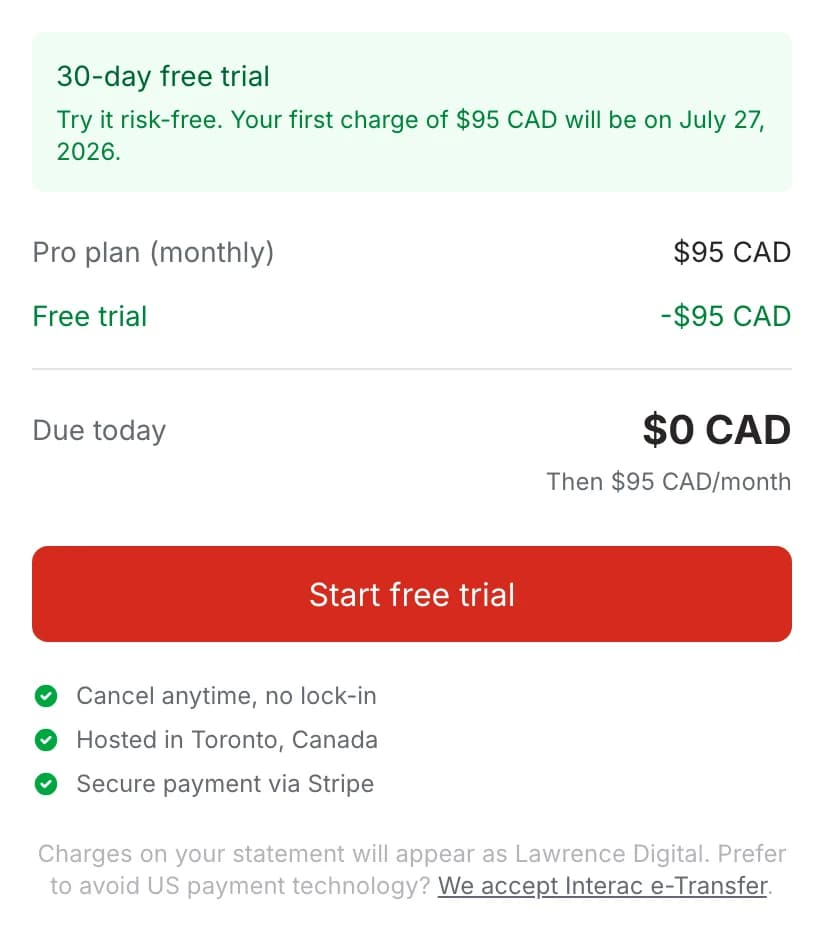
One price for the whole stack
Coolify on a dedicated Toronto VM for your apps and databases, with the server patched and backed up for you.