MapleDeploy vs CapRover
CapRover gives you the panel. MapleDeploy runs the panel and the server.
CapRover is a free, open-source PaaS that you install on your own server. It wraps Docker, nginx and Let's Encrypt in a web dashboard and a CLI, so you can deploy apps and databases without configuring each one by hand. MapleDeploy is managed Coolify with the server included: a dedicated Toronto VM with your own Coolify instance, both looked after for you. This page covers what each one leaves to you, what it costs, and where your apps run.
Side by side
What you get
- CapRover
- Free software you install on your own server
- MapleDeploy
- Dedicated VM with your own Coolify instance
Server
- CapRover
- Bring your own, set up and run by you
- MapleDeploy
- Included, patched and hardened for you
Deploys
- CapRover
- Git push (via webhook), CLI, Docker image, or tarball upload
- MapleDeploy
- Git push or container image, through Coolify
Docker Compose
- CapRover
- Supported subset, marked experimental
- MapleDeploy
- One of Coolify's build packs
Backups
- CapRover
- Configuration backup only; volumes, databases and locally built images need your own setup
- MapleDeploy
- Weekly full-server snapshots included
App location
- CapRover
- Wherever your server is
- MapleDeploy
- Toronto, Canada
Pricing
- CapRover
- Free, plus your server; paid Pro features
- MapleDeploy
- From $45 CAD/mo, server included
When CapRover is the right choice
CapRover is a capable, actively maintained project. It has been around since 2017, and its GitHub repository shows a release in November 2026. It is free under an Apache 2.0 licence, with an appendix of extra terms, mainly for its paid features.
It does a lot for the price of a server. You get one-click apps for common databases and tools, automatic HTTPS, one-click rollback to an earlier deploy, and a CLI that builds and deploys from your repository. If you want to grow past one machine, CapRover can add nodes to a Docker Swarm cluster and balance traffic across them.
If you already run servers and enjoy it, CapRover on a VPS is one of the cheapest ways to get a self-hosted PaaS.
What running CapRover leaves to you
CapRover runs on a server you provide. Its getting-started guide asks for a fresh Ubuntu 24.04 server with a public IPv4 address, at least 1 GiB of RAM, a domain with wildcard DNS, and ports 80, 443 and 3000 open. From there, the operating system, its updates and the server's security are yours to run.
CapRover's own docs mark its Docker Compose support as experimental, and it covers a subset of the Compose specification. Its backup copies CapRover's configuration, such as app definitions, domains and certificates. Docker volumes, database contents and locally built images are not included, so they need a backup of your own. Our guide to self-hosting Coolify vs managed Coolify walks through what running the server involves, and it's much the same whichever panel sits on top.
What MapleDeploy handles
MapleDeploy runs the server and the Coolify instance together. You get a dedicated VM in Toronto, ready in minutes, and you deploy through the Coolify dashboard.
- Security hardening. SSH key authentication, fail2ban, outbound SMTP blocking, and automatic security patches, applied before you first log in.
- OS patches. Operating system updates and kernel patches are applied for you. When a kernel update needs a reboot, it happens in a fixed 07:50 UTC window.
- Coolify itself. We run a public fork of Coolify that we rebase regularly against upstream. Changes are limited to Canadian branding and MapleDeploy integrations.
- Snapshots. Weekly full-server snapshots covering the OS, Coolify, containers, volumes and databases.
Snapshots are disaster recovery, not granular restores. For production databases, you should still set up Coolify's S3 database backups on a daily schedule.
Comparing the cost
CapRover itself is free. Your costs are the server you install it on and the time you spend keeping it patched, backed up and running. A paid CapRover Pro subscription adds features such as two-factor authentication, login alerts and build notifications.
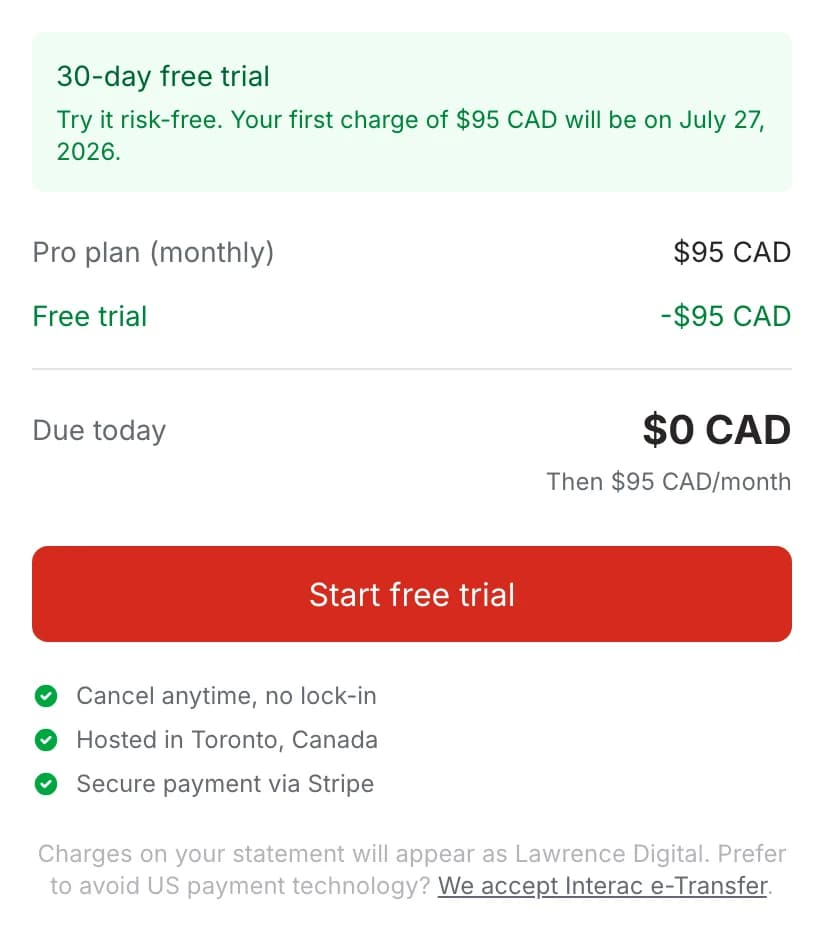
MapleDeploy starts at $45 CAD/month for a dedicated VM with 4 GB RAM, 2 vCPUs and 35 GB of storage. The server, Coolify, patches and snapshots are in that price, with no per-project or usage fees. Starter and Pro include a 30-day free trial.
If you enjoy running servers, CapRover plus a VPS will usually cost less. If you'd rather not, the difference buys back the evenings.
Where your apps run
A CapRover server runs wherever you put it, so where your data is hosted, and under which company's jurisdiction, depends on the provider you choose.
Your apps on MapleDeploy are hosted in Toronto, under Canadian jurisdiction, on infrastructure built for PIPEDA compliance, on every plan.
Try it free for 30 days
Start with $0 due today. Your first charge comes after the trial. One flat price, with the server included.
Ready to hand off the server too?
Coolify on a dedicated Toronto VM, patched and backed up for you.