MapleDeploy vs Dokploy
Dokploy Cloud runs the panel. MapleDeploy runs the panel and the server.
Dokploy is an open-core, self-hosted PaaS, and Dokploy Cloud is its hosted version: Dokploy runs the control plane and deploys to servers you bring. MapleDeploy is managed Coolify with the server included: a dedicated Toronto VM with your own Coolify instance, both looked after for you. This page covers what each one manages, what it costs, and where your apps run.
Side by side
What you get
- Dokploy Cloud
- Hosted Dokploy control plane
- MapleDeploy
- Dedicated VM with your own Coolify instance
Servers
- Dokploy Cloud
- Bring your own, from any provider
- MapleDeploy
- Included, patched and hardened for you
Panel updates
- Dokploy Cloud
- Handled for you
- MapleDeploy
- Handled for you
Backups
- Dokploy Cloud
- Volume and database backups (one per app and one per database on Hobby, unlimited on Startup)
- MapleDeploy
- Weekly full-server snapshots included
App location
- Dokploy Cloud
- Wherever your servers are
- MapleDeploy
- Toronto, Canada
Platform
- Dokploy Cloud
- Dokploy
- MapleDeploy
- Coolify (public fork)
Pricing
- Dokploy Cloud
- $4.50/mo per server (Hobby), from $15/mo (Startup), plus your server bills
- MapleDeploy
- From $45 CAD/mo, server included
When Dokploy is the right choice
Dokploy is a capable platform. If you want Docker Swarm clustering, or you like separating build servers from deployment servers, it has strong answers. Volume backups are a nice touch if your apps keep state outside a database. And if you'd rather work in a TypeScript codebase, it's the one you might contribute to.
Dokploy Cloud is also inexpensive for what it does. If you already run servers you're happy with and want the panel off your plate, $4.50 a month per server is a fair price.
What Dokploy Cloud runs, and what it doesn't
Dokploy's documentation is clear about the split. Dokploy hosts the control plane: the UI, its database and the management layer, with updates, backups and uptime handled for you. Your applications and databases run on your own servers, which you add from any provider over SSH.
Those servers are yours, rented from whichever provider you choose. Dokploy sets each one up with Docker, Traefik and a monitoring agent, and its plans include volume and database backups. Running the machine itself is the part MapleDeploy takes on. Our guide to self-hosting Coolify vs managed Coolify walks through what that involves, and it's much the same whichever panel sits on top.
What MapleDeploy handles
MapleDeploy runs the server and the Coolify instance together. You get a dedicated VM in Toronto, ready in minutes, and you deploy through the Coolify dashboard.
- Security hardening. SSH key authentication, fail2ban, outbound SMTP blocking, and automatic security patches, applied before you first log in.
- OS patches. Operating system updates and kernel patches are applied for you. When a kernel update needs a reboot, it happens in a fixed 07:50 UTC window.
- Coolify itself. We run a public fork of Coolify that we rebase regularly against upstream. Changes are limited to Canadian branding and MapleDeploy integrations.
- Snapshots. Weekly full-server snapshots covering the OS, Coolify, containers, volumes and databases.
Snapshots are disaster recovery, not granular restores. For production databases, you should still set up Coolify's S3 database backups on a daily schedule.
Comparing the cost
Dokploy Cloud's Hobby plan is listed at $4.50 a month per server, and its Startup plan from $15 a month with three servers. Your server provider bills you on top.
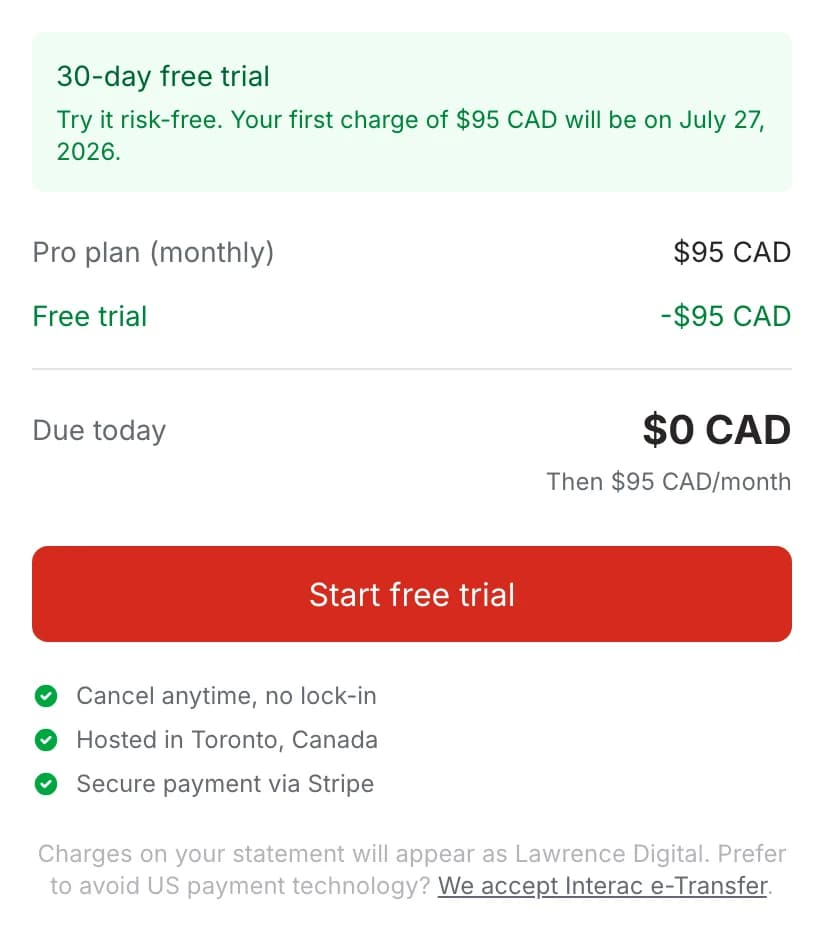
MapleDeploy starts at $45 CAD/month for a dedicated VM with 4 GB RAM, 2 vCPUs and 35 GB of storage. The server, Coolify, patches and snapshots are in that price, with no per-project or usage fees. Starter and Pro include a 30-day free trial.
If you enjoy running servers, Dokploy Cloud plus a VPS will usually cost less. If you'd rather not, the difference buys back the evenings.
Coolify or Dokploy?
MapleDeploy runs Coolify, not Dokploy. The two projects overlap a lot: both deploy from git, both use Docker and Traefik, and both offer one-click services and managed databases. They differ in maturity, licensing and features. Our Coolify vs Dokploy comparison covers those differences in detail.
Your apps on MapleDeploy are hosted in Toronto, under Canadian jurisdiction, on infrastructure built for PIPEDA compliance, on every plan.
Try it free for 30 days
Start with $0 due today. Your first charge comes after the trial. One flat price, with the server included.
Ready to hand off the server too?
Coolify on a dedicated Toronto VM, patched and backed up for you.