This guide covers the first MapleDeploy step: creating your account and server.
Each server is a dedicated VM in Toronto with its own Coolify instance. Once provisioning finishes, you can deploy applications from Coolify.
Step 1: Create your account
Go to the signup page and create an account. If you already have an account, sign in and go to the dashboard.
Step 2: Create a server
From the dashboard, select Create server.
Choose a subdomain. This becomes your MapleDeploy server address, such as your-name.mapledeploy.ca, and is used for your Coolify dashboard URL.
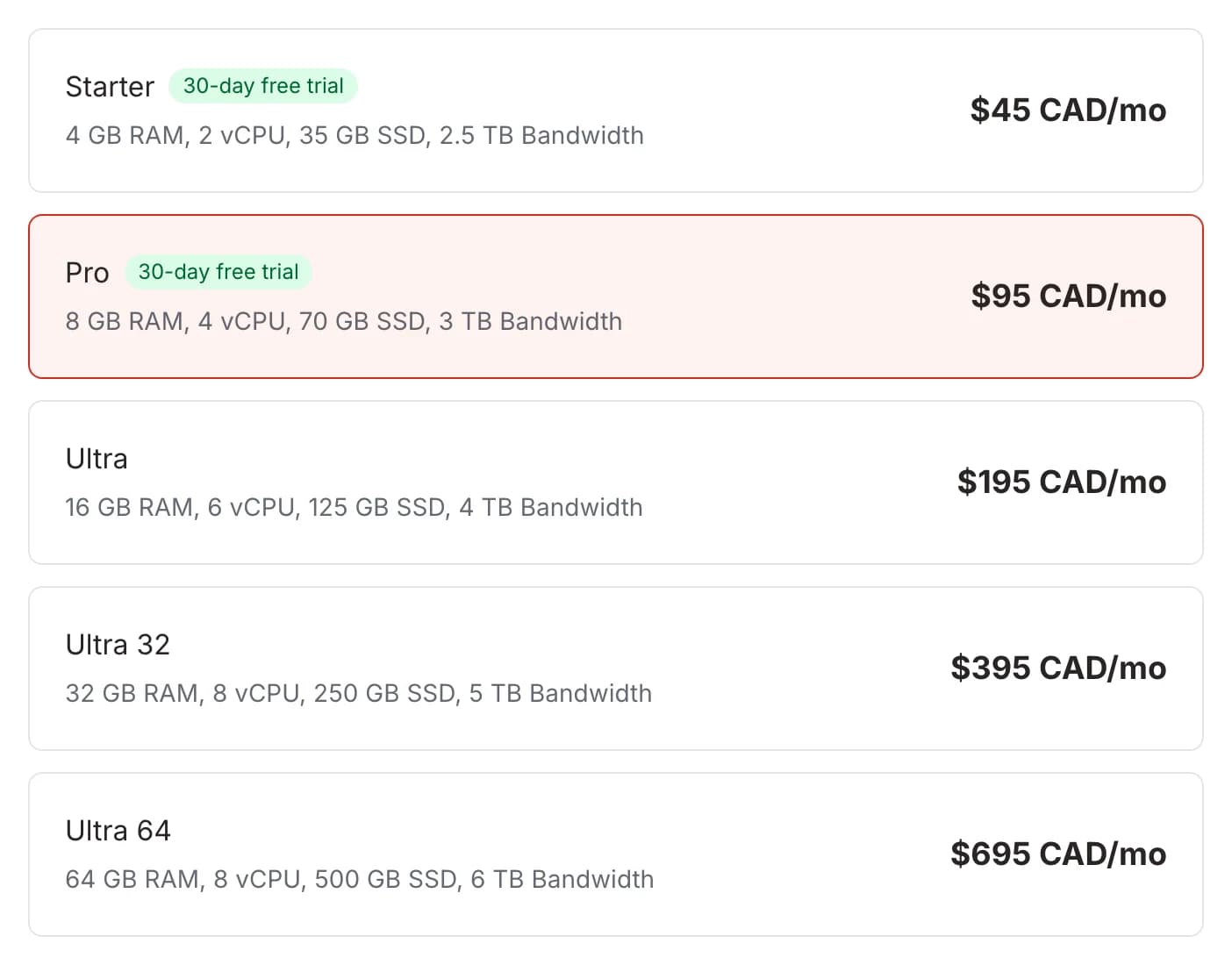
Then choose a plan. Starter and Pro include a 30-day free trial, so you can deploy a real project before the first charge.
Step 3: Wait for provisioning
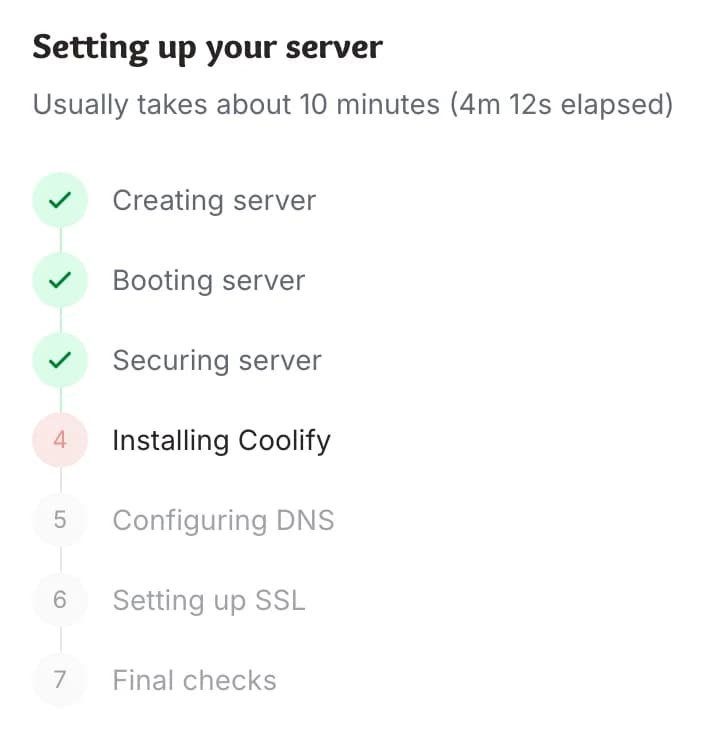
After checkout, MapleDeploy creates your VM, installs Coolify, prepares SSL, and connects the server to your dashboard.
Provisioning usually takes about 10 minutes. The dashboard shows progress while the server is being prepared.
You will receive an email when the server is ready.
Step 4: Open Coolify
When provisioning completes, open the server details page and select the Coolify dashboard link.
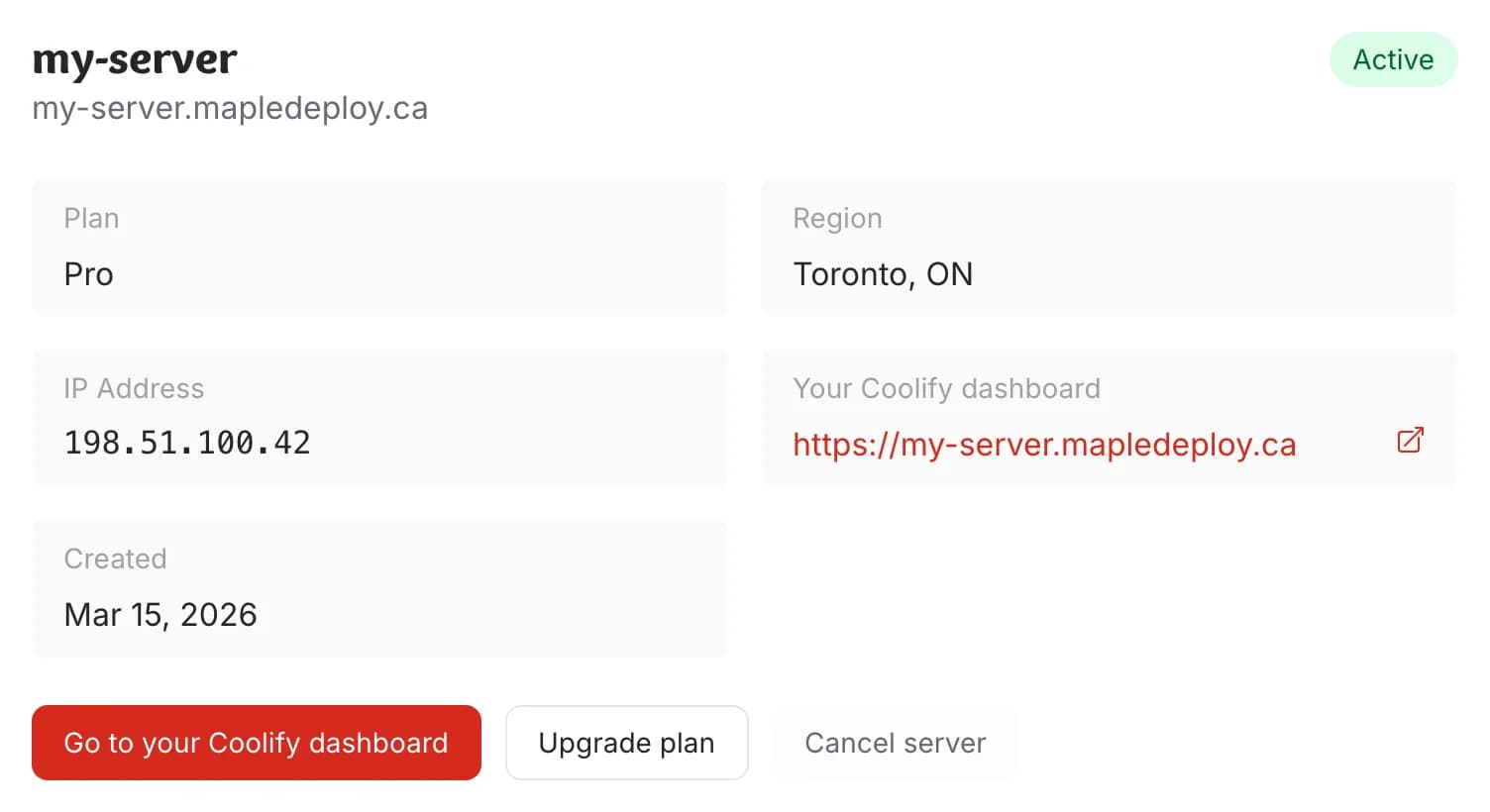
Coolify is where you deploy applications, create databases, configure domains, and manage environment variables.
Next step
Continue with Deploy your first app.