You have a working application on your machine. A Next.js frontend, a Python API, a Go service. It runs locally. Now you need it on the internet, with a real URL, SSL, and a deployment workflow that doesn't require a systems engineering degree.
Coolify is an open-source deployment platform that handles the build, deploy, and hosting pipeline. Think of it as a self-hosted alternative to Heroku or Railway. Connect a Git repo, configure the build, and deploy. Here's the full workflow.
Step 1: Connect your repository
If you're using GitHub, go to Sources in the sidebar and add a new GitHub App. Authorize it, select which repositories to share, and you're connected. This is a one-time setup. Every future project can use the same source, and Coolify automatically configures webhooks for push-triggered deployments.
For GitLab, you can add a GitLab App from Sources instead. Coolify does not create the webhook for you there: copy the webhook URL and secret token from the app's page in Sources into your GitLab project's webhook settings. For Bitbucket, Gitea, or other providers, you'll use deploy keys instead. When you add your application in Step 2, choose "Private Git Repository (with Deploy Key)" and provide the SSH URL. Coolify generates a key pair. Add the public key to your provider's repository settings, and optionally configure a webhook for auto-deploy on push.

Step 2: Create a project and application
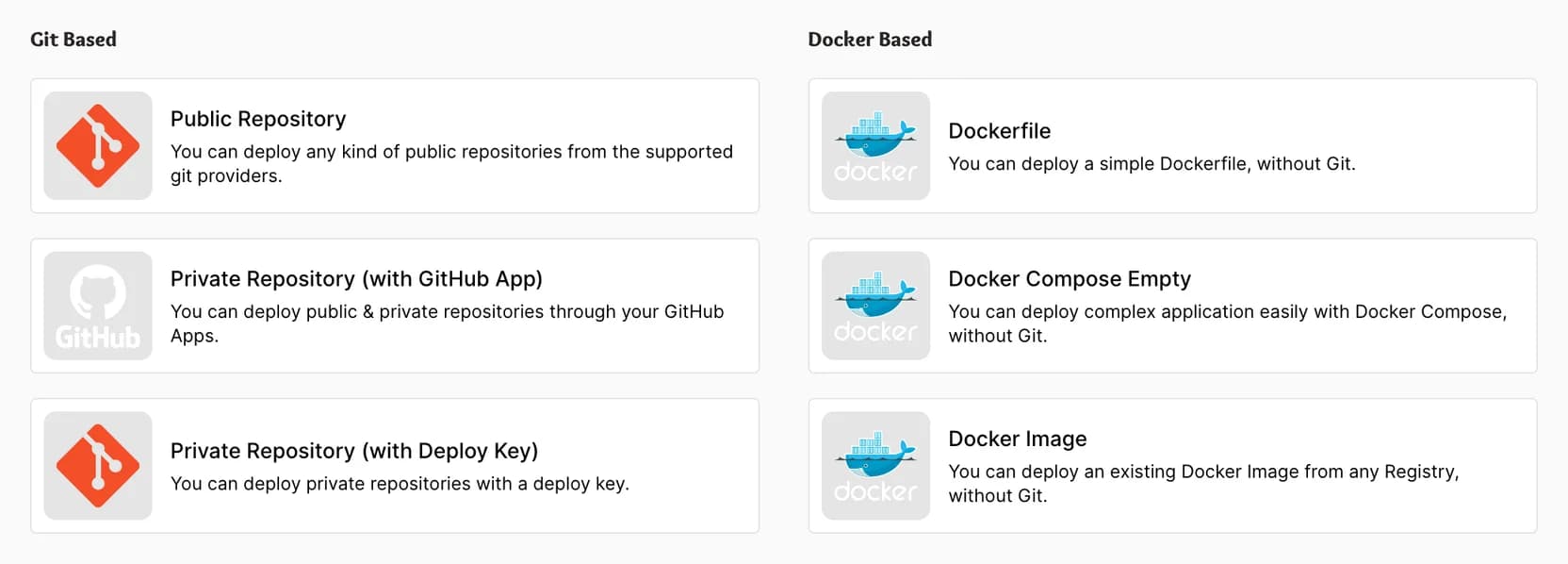
Go to Projects, create a new one, then add a new resource. Select your repository and branch. Coolify will ask how you want to build it.
Step 3: Pick your build method
Coolify offers four build packs: Nixpacks, Static, Dockerfile, and Docker Compose. For a static site, pick Static. For a multi-service app with an existing compose file, pick Docker Compose. For everything else, the choice is between Dockerfile and Nixpacks.
Dockerfile is the reliable choice. You control the build, the dependencies, the runtime. If your repo already has a Dockerfile, select it and you're done.
Nixpacks auto-detects your language and framework. It works well for standard Node.js, Python, Go, and Ruby projects. For anything with a custom build process or a monorepo, Dockerfile is more predictable.
Either way, set the "Ports exposes" field to match the port your application listens on. A Next.js app uses 3000. A Flask app uses 5000. If this doesn't match, the deploy will succeed but the app won't respond.

Step 4: Deploy and test
Hit deploy. Coolify pulls your code, builds the image, and starts the container. You can watch the logs in real time.
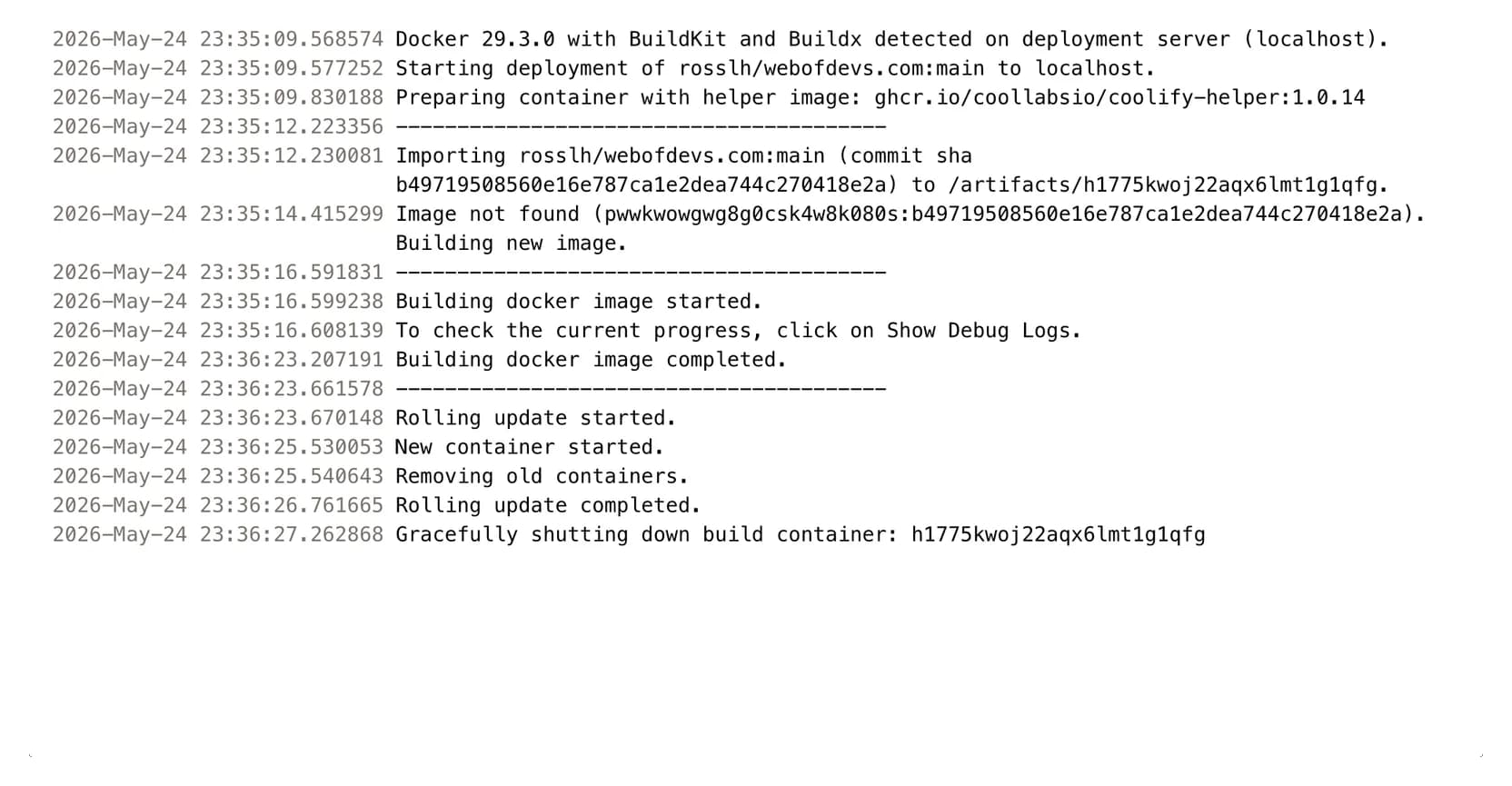
Once it finishes, check the temporary URL under the "Links" dropdown at the top of the application page. If you see your app, it's working. If you see a 502, double-check the port configuration.
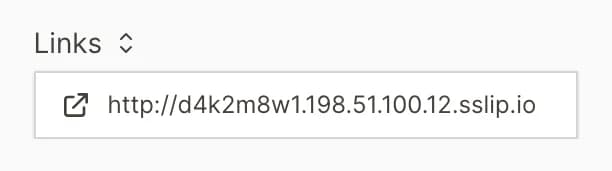
At this point, your app is live. No domain setup required, no DNS, no certificates. Just a working URL you can share or test against.
Step 5: Add a custom domain
When you're ready for a real URL, two things need to happen.
First, point your domain's DNS at your server. Create an A record with your server's IP address. If you're on MapleDeploy, you can find this in your dashboard or in Coolify under server settings.
Second, add the domain in Coolify. In your application's General settings, the Access section has a Manage domains button. It opens the Domains page, where Add domain takes the protocol (https) and your domain. Add example.com and Coolify adds www.example.com alongside it (for a subdomain, it adds the www. version of that too, so give it a DNS record or remove it). Coolify then checks DNS and flags any domain that does not point to your server yet.
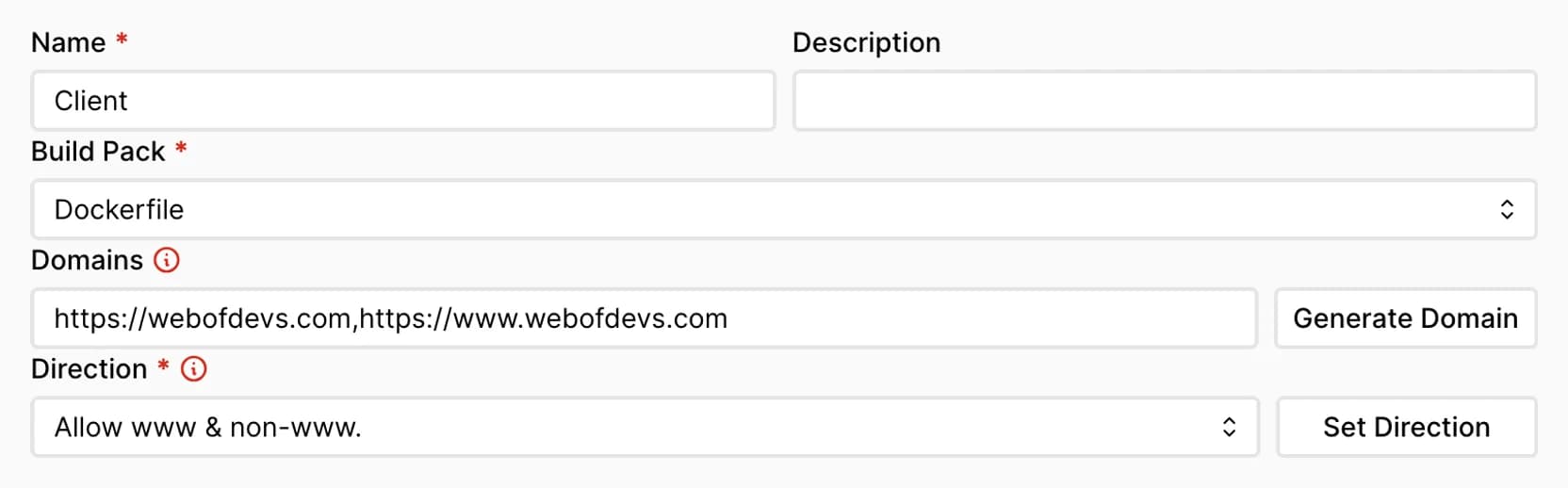
Redeploy, and Coolify will automatically provision an SSL certificate via Let's Encrypt. Give DNS a few minutes to propagate, and your app is live on your own domain with HTTPS.
Common gotchas
Port mismatch is the most frequent issue. Your app listens on 8080, Coolify expects 3000. The deploy looks successful but nothing loads. Always verify "Ports exposes" matches your app's actual port.
Binding to localhost breaks containerized apps. Your application needs to bind to 0.0.0.0, not 127.0.0.1. This is a Docker networking fundamental, but it catches people who haven't containerized before.
Build-time vs. runtime environment variables. By default, Coolify injects environment variables at runtime. If your framework needs them at build time (like NEXT_PUBLIC_ variables in Next.js), set Build time to Available during build for those specific variables.
Nixpacks detection failures. If Nixpacks can't figure out your project, switch to a Dockerfile. You can generate a starting point by running nixpacks build . --out . locally, which saves the generated Dockerfile to your project directory. Adjust it to fit your needs.
Why Dockerfile over Nixpacks?
Nixpacks is convenient. For a standard single-framework project with a clear package.json or requirements.txt, it just works. But convenience has limits.
Dockerfiles are explicit. You control the base image, the build steps, the runtime. When something breaks, the Dockerfile tells you exactly what happened. With Nixpacks, you're debugging an auto-generated build plan you didn't write.
For production workloads, Dockerfile wins on predictability. For quick prototypes, Nixpacks saves time. Use whichever matches the situation.
Where MapleDeploy fits
Coolify is open source. You can install it on any VPS and manage everything yourself. Or you can skip the server administration entirely.
MapleDeploy gives you a fully managed Coolify instance on Canadian infrastructure in Toronto. We handle the VM, OS updates, security patches, and monitoring. You get the deployment platform without the ops work.
Each server is a dedicated VM. No shared infrastructure, no noisy neighbors. Plans start at $45 CAD/month with a 30-day free trial. Connect your repo and deploy.
For the full step-by-step guide including server provisioning and troubleshooting, see our getting started documentation.
Deploy your first app
30-day free trial. Push your repo, get a live URL. Plans start at $45 CAD/month.